
Launch Scan Tools Buying Guide: CRP vs X431 Compared
Date Posted:12 October 2026
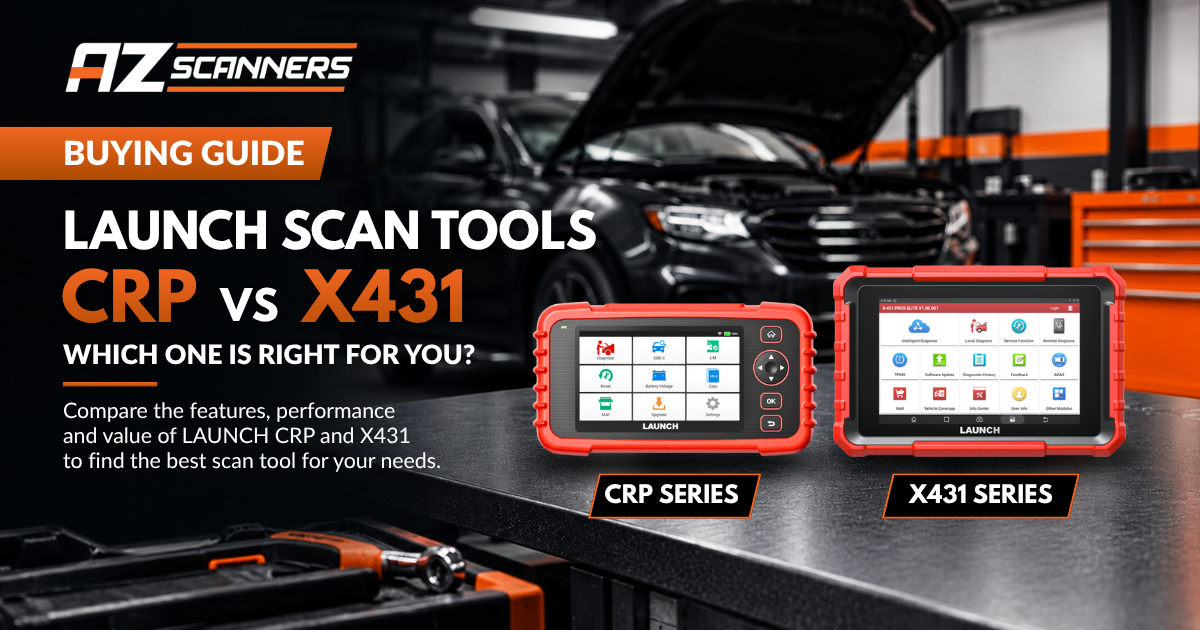
Launch makes one of the widest scan tool ranges on the market, from a 5 inch handheld code reader to a 13.3 inch tablet that programs modules online. The model names don't make the differences obvious, so this guide sets out what each Launch scan tool does, who it suits and where the real step-ups are, using Launch's own specifications.
Quick picks: which Launch scan tool should you buy?
- Servicing your own car: CRP 129X Plus. Reads engine, transmission, ABS and airbag systems and handles the common service resets, with free updates.
- Home mechanic who wants to test components: CRP919X Lite. Full-system scanning plus bi-directional control.
- Setting up a workshop: X431 PROS V or PROS Elite. 37 service functions, coding and key programming support at an entry-level price.
- Busy general workshop: X431 V+ or PRO3 APEX. A 10 inch screen, topology map, and add-ons for heavy diesel and EV batteries.
- Late-model and European vehicles: PRO3 V+ Elite for J2534 and built-in DoIP, or X431 PRO5 if you program Mercedes-Benz and BMW modules.
- Specialist and dealer-level work: X431 PAD VII Elite. The widest online programming coverage plus built-in repair data.
Launch CRP vs X431: what's the difference?
Launch splits its range into two families. CRP scanners are handheld tools with 5 or 7 inch screens. They read and clear codes, show live data and run service resets, and the higher CRP models add bi-directional control. They are built for home mechanics and for light, occasional workshop use.
X431 tools are Android tablets with 8 to 13.3 inch screens. Every X431 has 37 service functions, active tests, guided functions for VW Group vehicles and online coding for BMW, VW Group and Porsche. They also work with Launch's add-on modules, including the X-PROG3 key programmer, i-TPMS sensor tool and O2-2 oscilloscope. If diagnostics is part of how you earn a living, start with the X431 range.
Launch X431 Comparison
PROS Elite vs PROS V vs V+ vs PRO3 APEX vs PRO3 V+ Elite vs PRO5 vs PAD VII
Every Launch X431 tablet does full-system diagnostics with 37 service functions, coding and 2 years of free updates. Step up for a bigger screen and topology map, built-in DoIP and J2534 for the latest vehicles, or online ECU programming on the PRO5 and PAD VII Elite.
| Compare features | 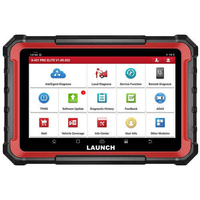 PROS Elite8" tablet, cable connectionView PROS Elite PROS Elite8" tablet, cable connectionView PROS Elite |
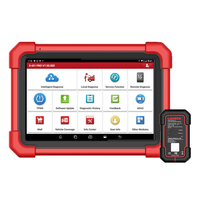 PROS V 5.08" tablet, Bluetooth VCIView PROS V PROS V 5.08" tablet, Bluetooth VCIView PROS V |
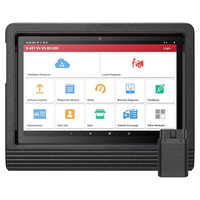 X431 V+ 5.010.1" tablet, Bluetooth VCIView X431 V+ X431 V+ 5.010.1" tablet, Bluetooth VCIView X431 V+ |
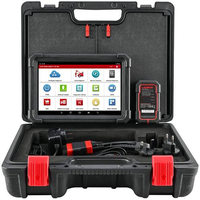 PRO3 APEX10.1" tablet, Bluetooth VCIView PRO3 APEX PRO3 APEX10.1" tablet, Bluetooth VCIView PRO3 APEX |
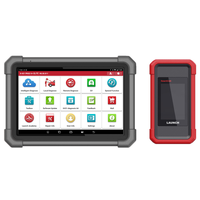 PRO3 V+ EliteJ2534 SmartLink VCIView V+ Elite PRO3 V+ EliteJ2534 SmartLink VCIView V+ Elite |
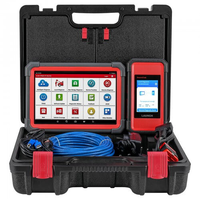 X431 PRO5Benz & BMW online programmingView PRO5 X431 PRO5Benz & BMW online programmingView PRO5 |
Most features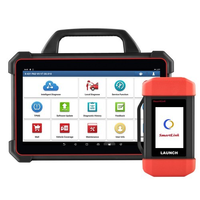 PAD VII Elite13.3" flagship tabletView PAD VII PAD VII Elite13.3" flagship tabletView PAD VII |
|---|---|---|---|---|---|---|---|
| Best for | Workshops starting out, with a wired connection | Workshops starting out, working wirelessly | Busy workshops wanting a bigger screen | Busy workshops, alternative to the V+ | Late-model vehicles, pass-thru and remote work | Programming Mercedes-Benz and BMW modules | Dealer-level programming and repair data |
| Hardware | |||||||
| Screen | 8" | 8" | 10.1" | 10.1" | 10.1" | 10.1" | 13.3" |
| RAM / storage | 4GB / 64GB | 4GB / 64GB | 4GB / 64GB | 4GB / 64GB | 4GB / 64GB | 4GB / 64GB | 8GB / 256GB |
| Vehicle connection | OBD cable | Bluetooth VCI | Bluetooth VCI | Bluetooth VCI | SmartLink VCI | SmartLink VCI | SmartLink VCI |
| Android version | 10 | 10 | 10 | 10 | 10 | 10 | 9 |
| Diagnostics & coding | |||||||
| Full-system diagnostics Read and clear codes, live data, active tests |
✓ | ✓ | ✓ | ✓ | ✓ | ✓ | ✓ |
| Service functions | 37 | 37 | 37 | 37 | 37 | 37 | 37 |
| Topology map All modules on one screen |
– | – | ✓ | ✓ | ✓ | ✓ | ✓ |
| Guided functions VW, Audi, Skoda |
✓ | ✓ | ✓ | ✓ | ✓ | ✓ | ✓ |
| Online coding BMW, VW Group, Porsche |
✓ | ✓ | ✓ | ✓ | ✓ | ✓ | ✓ |
| Mercedes-Benz SCN coding | – | – | – | – | – | ✓ | ✓ |
| Repair data Component locations and pin diagrams by fault code |
– | – | – | – | – | – | Benz, BMW, VW, Audi, Porsche |
| Programming | |||||||
| Offline programming Ford, Mazda, Vauxhall, Opel |
✓ | ✓ | ✓ | ✓ | ✓ | ✓ | ✓ |
| Online ECU programming | – | – | – | – | – | Mercedes-Benz, BMW | Benz, BMW, VW Group, Porsche, JLR, Renault, Nissan, Subaru, Hyundai, Kia |
| VW & Audi FFS activation Plus online calibration |
– | – | – | – | – | ✓ | ✓ |
| Protocols | |||||||
| CAN FD | Adaptor needed | Built in | Built in | Built in | Built in | Built in | Built in |
| DoIP | Adaptor needed | Adaptor needed | Adaptor needed | Adaptor needed | Built in | Built in | Built in |
| J2534 / D-PDU / RP1210 Pass-thru programming |
– | – | – | – | ✓ | ✓ | ✓ |
| Remote diagnosis | – | – | – | – | ✓ | ✓ | ✓ |
| Add-ons | |||||||
| Heavy diesel | – | – | SmartLink HD | SmartLink HD | HD add-on | HD add-on | HD add-on |
| EV battery pack kit | – | – | ✓ | ✓ | ✓ | ✓ | ✓ |
| X-PROG3 key programming | ✓ | ✓ | ✓ | ✓ | ✓ | ✓ | ✓ |
| i-TPMS, O2-2 scope, BST-360, VSP600 | ✓ | ✓ | ✓ | ✓ | ✓ | ✓ | ✓ |
| Updates | |||||||
| Free software updates | 2 years | 2 years | 2 years | 2 years | 2 years | 2 years | 2 years |
Heavy diesel: the X431 V+ and PRO3 APEX use the SmartLink HD 2.0 module. The PRO3 V+ Elite, PRO5 and PAD VII Elite use the SmartLink HD Pack or SmartLink C HD Lite expansion. CAN FD and DoIP are the communication protocols used by many vehicles from about 2020 onward; where the table says "adaptor needed", the tablet supports them with an extra connector.
Comparison tables are for reference only and based on Launch specifications. Refer to each product page or contact us for more information.
Launch X431 models explained
X431 PROS Elite and PROS V: the entry-level workshop tablets
Both are 8 inch tablets with the same diagnostic software as the dearer X431 models: 37 service functions, active tests, guided functions and online coding. Both work with the X-PROG3, i-TPMS, O2-2 scope, BST-360 battery tester and VSP600 camera. The difference is the connection. The PROS Elite plugs into the vehicle with a cable, while the PROS V 5.0 uses a Bluetooth VCI, so you can move around the car, and it supports CAN FD without an adaptor. The X431 PRO DYNO shares the PROS V's specifications.
X431 V+ and PRO3 APEX: more screen and a topology map
The X431 V+ 5.0 and PRO3 APEX move to a 10.1 inch screen and add a diagnostic topology map, which shows every module on the vehicle and its fault status on one screen. They are also the first X431 models to accept the EV battery pack kit and the SmartLink HD module for trucks. On Launch's specifications they are close to identical, so choose on price and availability. For petrol and diesel work in one box, see the X431 V+ with SmartLink HD kit.
X431 PRO3 V+ Elite: built for the latest vehicles
The PRO3 V+ Elite swaps the Bluetooth VCI for a SmartLink VCI with CAN FD and DoIP built in, so you don't need extra adaptors for newer vehicles. It adds J2534, D-PDU and RP1210 pass-thru support, which lets you use the VCI with manufacturer software, and remote diagnosis.
X431 PRO5: online programming for Mercedes-Benz and BMW
The X431 PRO5 has everything the V+ Elite does, plus online ECU programming for Mercedes-Benz and BMW, Mercedes-Benz SCN coding, and FFS activation and online calibration for VW and Audi. It suits workshops that replace modules on European vehicles and want to finish the job without sending the car to a dealer.
X431 PAD VII Elite: the flagship
The PAD VII Elite has a 13.3 inch screen, 8GB of RAM and 256GB of storage. It extends online programming to VW Group, Porsche, Land Rover, Jaguar, Renault, Nissan, Infiniti, Subaru, Hyundai and Kia, adds online parameterisation for VW and Audi, and is the only X431 with built-in repair data. For Mercedes-Benz, BMW, VW, Audi and Porsche, it shows component locations, pin diagrams and reference values linked to each fault code.
Head-to-head: the comparisons people ask about
X431 PROS Elite vs PROS V
Same software, same functions, same add-ons. Choose the PROS V if you want a wireless connection and built-in CAN FD. Choose the PROS Elite if you're happy working on a cable and want to save money.
X431 PROS V vs X431 V+
The V+ gives you a 10.1 inch screen, the topology map, and the option to add heavy diesel and EV battery diagnostics later. If you only work on cars and light commercials and a smaller screen suits you, the PROS V does the same diagnostic work for less.
X431 PRO3 V+ Elite vs PRO5
The two share the same SmartLink VCI and protocol support. The PRO5 adds online programming and SCN coding for Mercedes-Benz and BMW, plus VW and Audi FFS activation. If you don't program modules on those makes, the V+ Elite covers everything else.
X431 PRO5 vs PAD VII Elite
The PAD VII Elite adds online programming for nine more brand groups, VW and Audi online parameterisation, repair data and a much larger screen. It makes sense for specialists and busy multi-brand workshops; for a workshop focused on Mercedes-Benz and BMW, the PRO5 covers the programming you need.
Launch CRP Comparison
CRP 129X vs CRP 129X PLUS vs CRP919X Lite vs CRP919X BT
Launch CRP scanners are handheld tools for home mechanics and light workshop use. All four read and clear codes and show live data. Step up for full-system scanning, bi-directional control, online coding or a wireless connection on the CRP919X BT.
| Compare features | 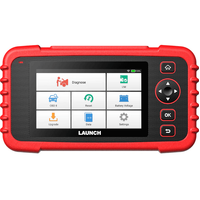 CRP 129X 3.05" handheld, 4 systemsView CRP 129X CRP 129X 3.05" handheld, 4 systemsView CRP 129X |
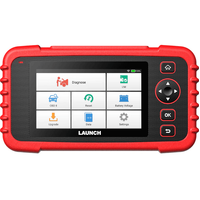 CRP 129X PLUS 3.05" handheld, full systemView 129X PLUS CRP 129X PLUS 3.05" handheld, full systemView 129X PLUS |
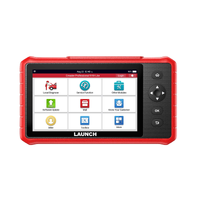 CRP919X Lite7" with bi-directionalView 919X Lite CRP919X Lite7" with bi-directionalView 919X Lite |
Most features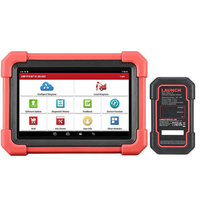 CRP919X BT7" wireless with codingView 919X BT CRP919X BT7" wireless with codingView 919X BT |
|---|---|---|---|---|
| Best for | Home mechanics doing their own servicing | Full-system fault finding at home | Bi-directional testing on a budget | Coding and wireless use on newer cars |
| Hardware | ||||
| Screen | 5" | 5" | 7" | 7" |
| RAM / storage | 2GB / 32GB | 2GB / 32GB | 3GB / 32GB | 4GB / 64GB |
| Vehicle connection | OBD cable | OBD cable | OBD cable | Bluetooth VCI |
| Diagnostics | ||||
| Systems covered | Engine, transmission, ABS, airbag | All systems | All systems | All systems |
| Read & clear codes, live data Plus ECU info and Auto VIN |
✓ | ✓ | ✓ | ✓ |
| Service functions | Oil, brake, SAS, throttle, TPMS + more | Oil, brake, SAS, throttle, TPMS | 32 | 35 |
| Bi-directional control Active tests on components |
– | – | ✓ | ✓ |
| Hidden & special functions | – | – | ✓ | ✓ |
| Online coding | – | – | – | ✓ |
| CAN FD / DoIP | – | – | – | CAN FD built in, DoIP with adaptor |
| Vehicle makes covered | 58+ | 58+ | 72+ | 100+ |
| Updates | ||||
| Software updates | Free | Free | 2 years free | 2 years free |
Comparison tables are for reference only and based on Launch specifications. Refer to each product page or contact us for more information.
CRP 129X vs CRP 129X PLUS
The CRP 129X reads the four systems most DIY jobs involve: engine, transmission, ABS and airbag. The CRP 129X PLUS scans every module on the vehicle, which helps when a warning light comes from the body, climate or another system. Both include free updates.
CRP919X Lite vs CRP919X BT
Both are 7 inch tools with full-system scanning, bi-directional control and hidden functions. The CRP919X BT adds online coding, a Bluetooth VCI, CAN FD support, more storage and coverage of 100+ vehicle makes, against 72+ for the CRP919X Lite.
CRP919X BT vs X431 PROS V: handheld or tablet?
The two have the same RAM, storage, battery and Bluetooth VCI, so the decision comes down to what you need beyond diagnostics. The PROS V adds an 8 inch Android screen, guided functions, offline programming, hidden functions for more makes, and support for the X-PROG3, i-TPMS, BST-360 and VSP600 add-ons. If you're likely to want key programming or TPMS work later, start with the PROS V.
Working on trucks?
The CRP129 HD is a dedicated heavy-duty handheld. For full truck coverage alongside cars, use an X431 with a SmartLink HD add-on, as set out in the X431 table above.
Launch add-ons: what works with what
- X-PROG3 key and immobiliser programming: every current X431 tablet.
- i-TPMS sensor activation and programming: every current X431 tablet.
- O2-2 oscilloscope: every current X431 tablet.
- BST-360 battery tester and VSP600 inspection camera: every current X431 tablet.
- EV battery pack kit: X431 V+ and above. Not the PROS models.
- Heavy diesel: X431 V+ and above, using the SmartLink HD module or HD expansion that matches your tablet.
Launch software updates: what happens after 2 years?
Every X431 tablet and the CRP919X range include 2 years of free updates, and the CRP 129X range includes free updates. When a subscription ends, the tool keeps working with the software it already has. You stop receiving new vehicle models, new functions and fixes, so coverage falls behind as newer vehicles come into the workshop.
You can renew through our Launch software update service. Two things are charged separately by third parties: access through the FCA Secure Gateway on Jeep, Chrysler, Dodge and other FCA vehicles is a subscription bought from FCA, and Tesla coverage is a separate activation.
Launch scan tool FAQs
Is Launch a good scan tool brand?
Launch is one of the largest diagnostic tool makers in the world, and its X431 tablets are widely used in Australian workshops. The range covers everything from DIY code readers to dealer-level programming tablets.
What is the best Launch scan tool for a home mechanic?
The CRP 129X covers servicing and the four main systems. If you want to scan every module and test components, the CRP919X Lite adds full-system scanning and bi-directional control.
What is the best Launch scan tool for a workshop?
For most general workshops, the X431 PROS V or X431 V+ covers day-to-day diagnostics, service functions and coding. Move to the PRO3 V+ Elite for built-in DoIP and J2534, or the PRO5 and PAD VII Elite for online programming.
Which Launch X431 does online ECU programming?
The X431 PRO5 programs Mercedes-Benz and BMW modules online. The PAD VII Elite adds VW Group, Porsche, Land Rover, Jaguar, Renault, Nissan, Infiniti, Subaru, Hyundai and Kia.
Can a Launch scan tool program car keys?
Yes, with the X-PROG3, which works with every current X431 tablet. Coverage depends on make, model and year, so check with us before buying for a specific vehicle.
Do Launch scan tools work on Australian vehicles?
Yes. Launch tools from AZscanners cover the makes commonly sold in Australia. If you need a specific model or function, ask us before you buy.
Need help choosing?
Tell us the vehicles you work on and the jobs you want to do, and we'll recommend the right Launch tool. Browse the full range on our Launch scan tools page, or contact us for advice and workshop pricing.